Welcome to Zaia Club!
Jan 14, 2026
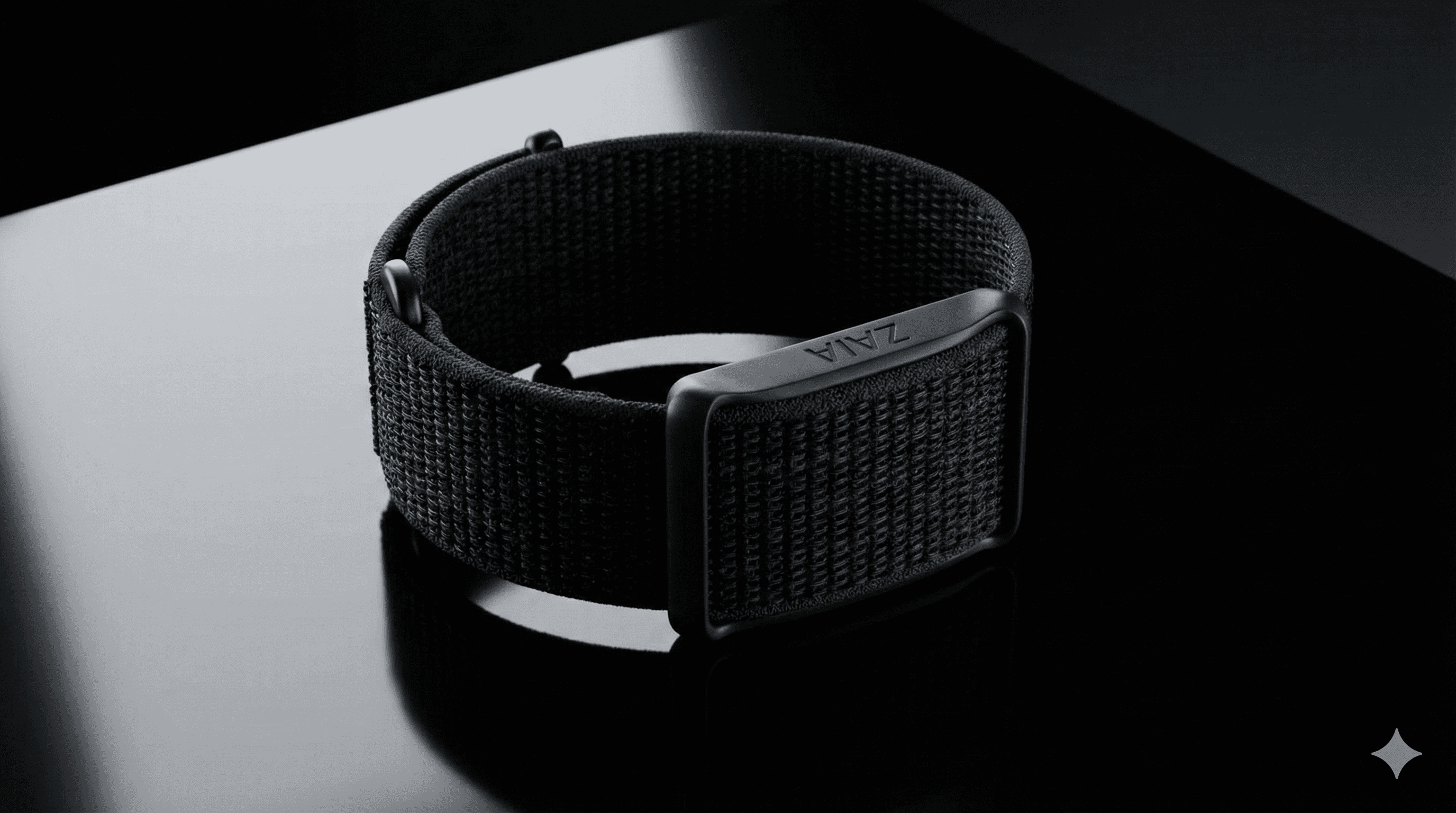
Welcome to Zaia
First, I would like to say that you are special for us, thanks for becoming one of our first users, you will become part of something really big 😍
Zaia is made for everyday people, not just athletes.
We don’t throw complex scores at you.
We turn your metrics into something you actually understand. Sleep, activity, and key body signals.
Zaia then gives you clear feedback on how your health is doing and what you can improve.
The goal is simple. Help you build healthier habits 🙂
And to support us on this beta, remember:
Use the band daily and share honest feedback.
From time to time, someone from our team may ask you a few questions.
We want brutal honesty, including what you don’t like. That’s how we make it great.
Any doubt, bug, or need someone to talk, just reach Gustavo through WhatsApp or Email:
WhatsApp: +34 663 689 799 - Click here to open his WhatsApp automatically
Email: gustavo.comitre@gmail.com
How to install the App and connect your Zaia band?
You can check the step by step for the band and the app, but any doubt or issue, just reach us, we are glad to help 😊💪
About the band
Follow the steps below to connect your band for the first time:
Connect the band to the charger, as shown in the image below.
Check the sensor lights. When the band is charging, the sensor lights will turn on.
Fully charge the band before pairing. For the first use, we strongly recommend charging the band to 100% before connecting it to the Zaia app.
Keep the band connected to a power source while syncing it to your iPhone for the first time.
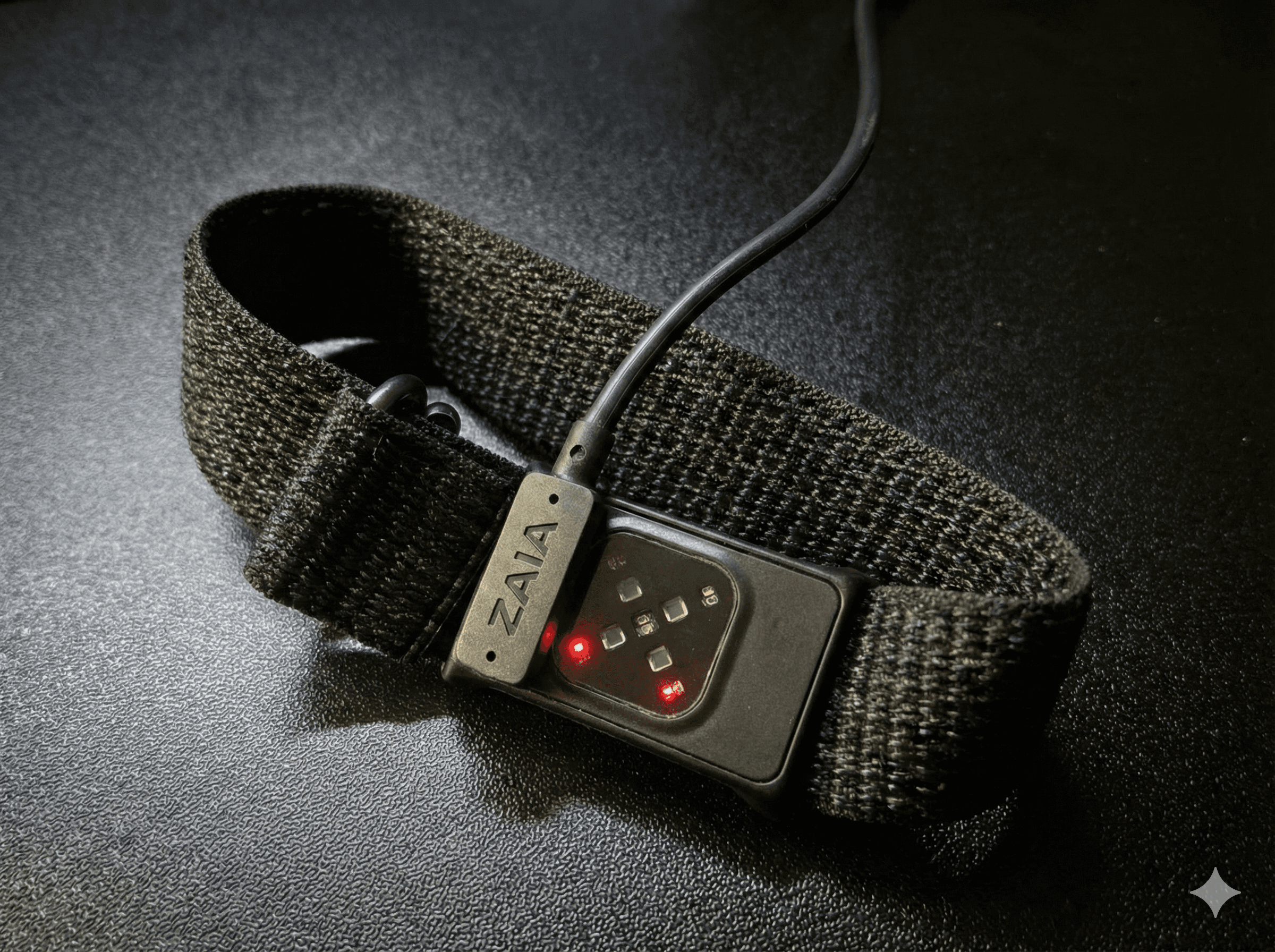
Once this is done, you can proceed to install the app. Step-by-step instructions are provided below.
Installing the App
The App is available in Beta only, so you can't find directly in the App Store.
To download, please do it through the link below or clicking here on your iPhone:
Important: In the TestFlight app, make sure Automatic Updates are enabled. Since this is a beta version, it’s critical to keep your Zaia app up to date to ensure the best possible experience.
Below you’ll find step-by-step screenshots showing how to enable automatic updates.
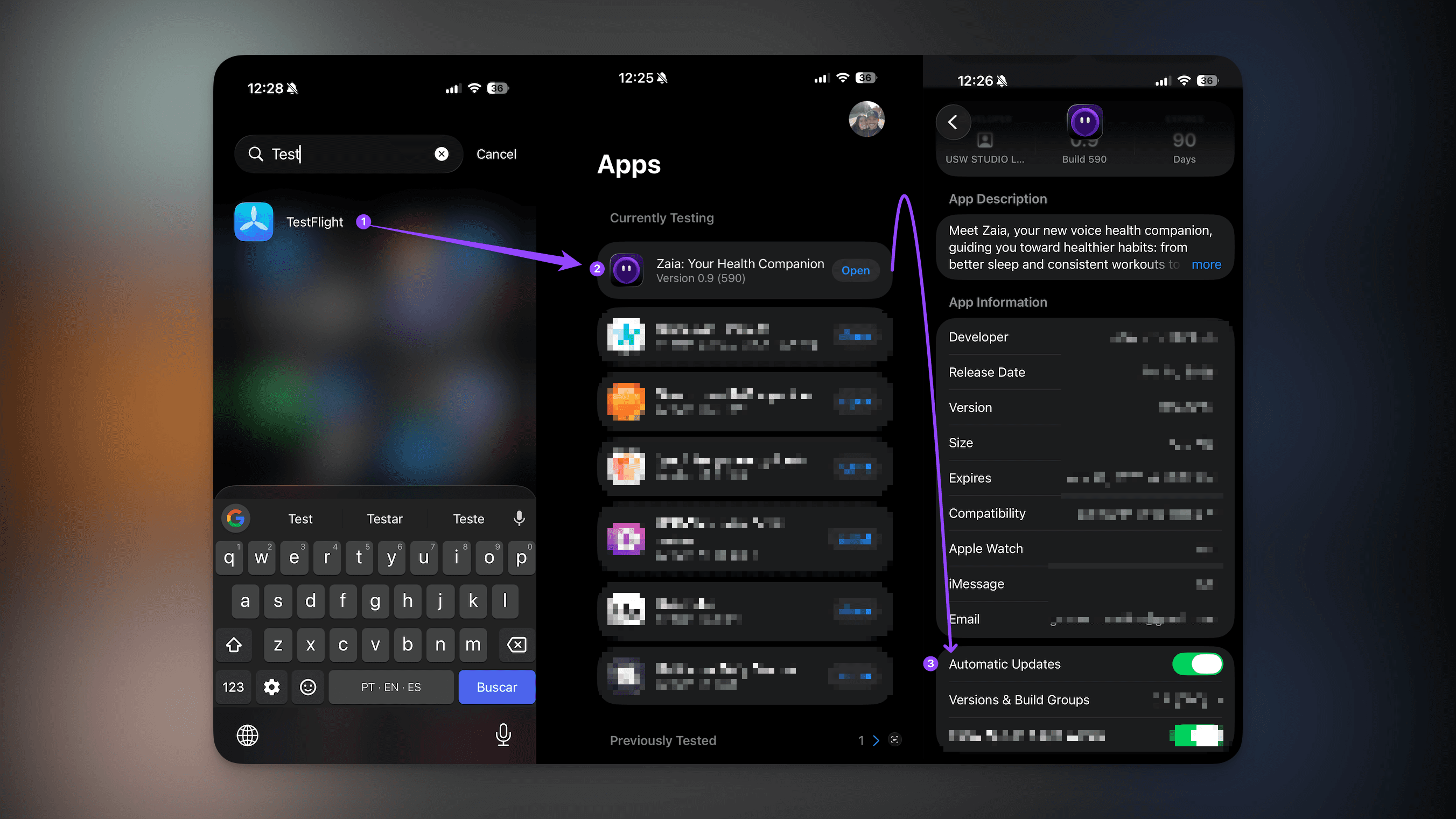
After you install the app, just follow the onboarding steps.
Then tap the band icon in the top-right corner to connect your band and click in connect. (screenshots below)
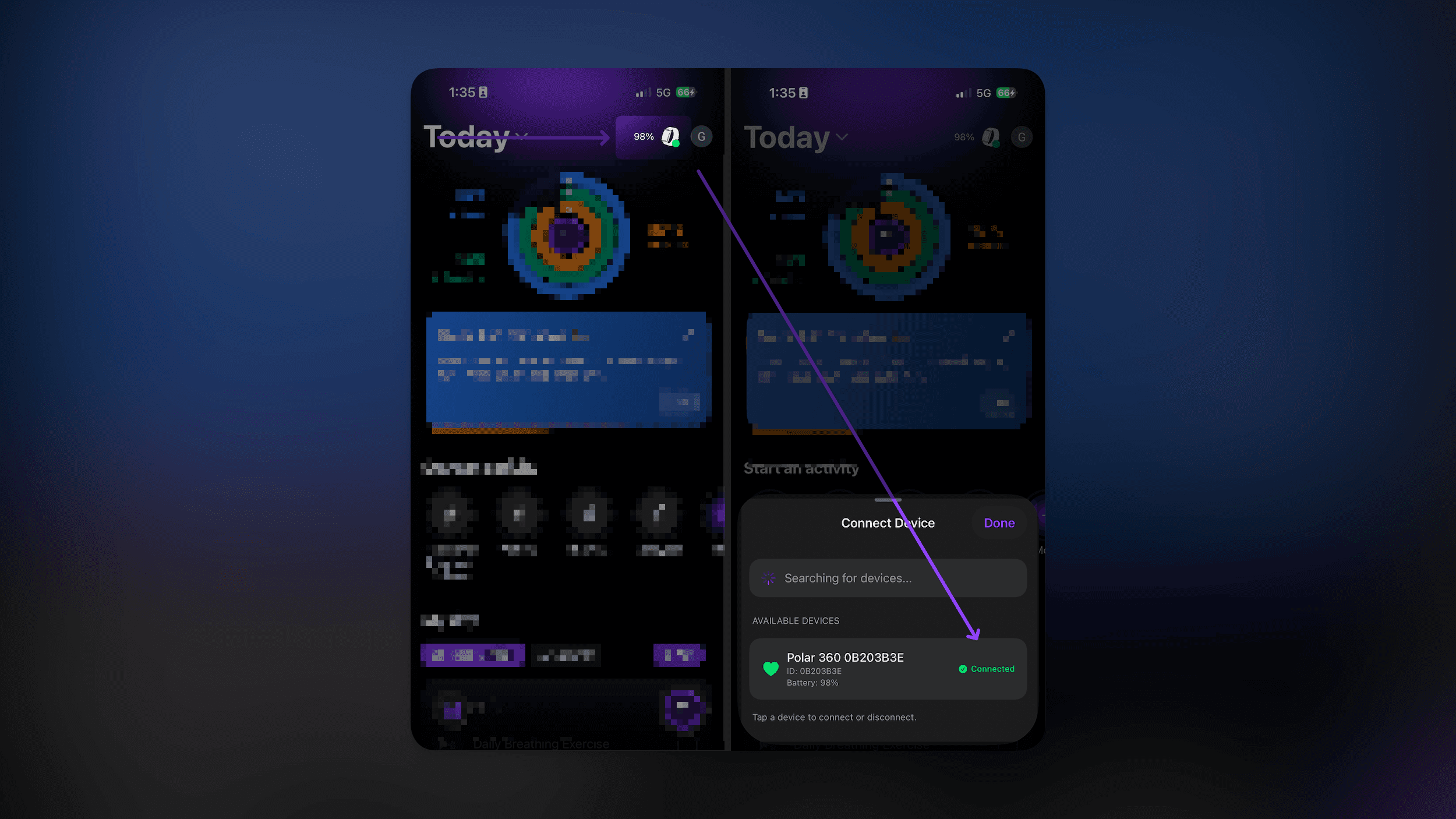
After it, you can put the band on your wrist, you are ready 🎉
IMPORTANT: after you successfully installed the app and connected the band, it can take up to 3 days to start sharing proper insights about your health, activities and vitals, it's the time necessary for us to generate a baseline of your body, but don't worry, Zaia will be there for you 💜
Any doubt, bug, or need someone to talk, just reach Gustavo through WhatsApp or Email:
WhatsApp: +34 663 689 799 - Click here to open his WhatsApp automatically
Email: gustavo.comitre@gmail.com

Zaia Health | Privacy Policy